
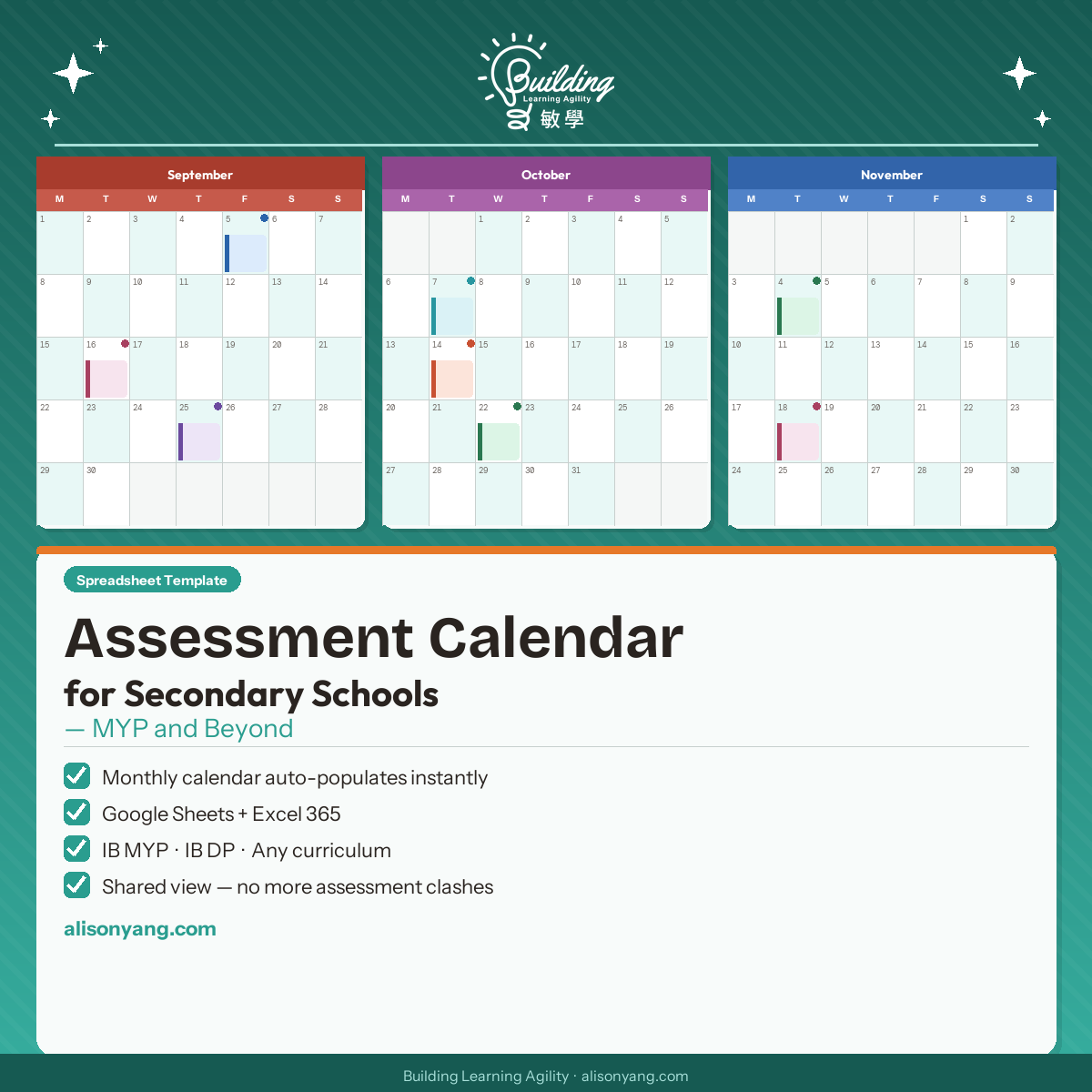
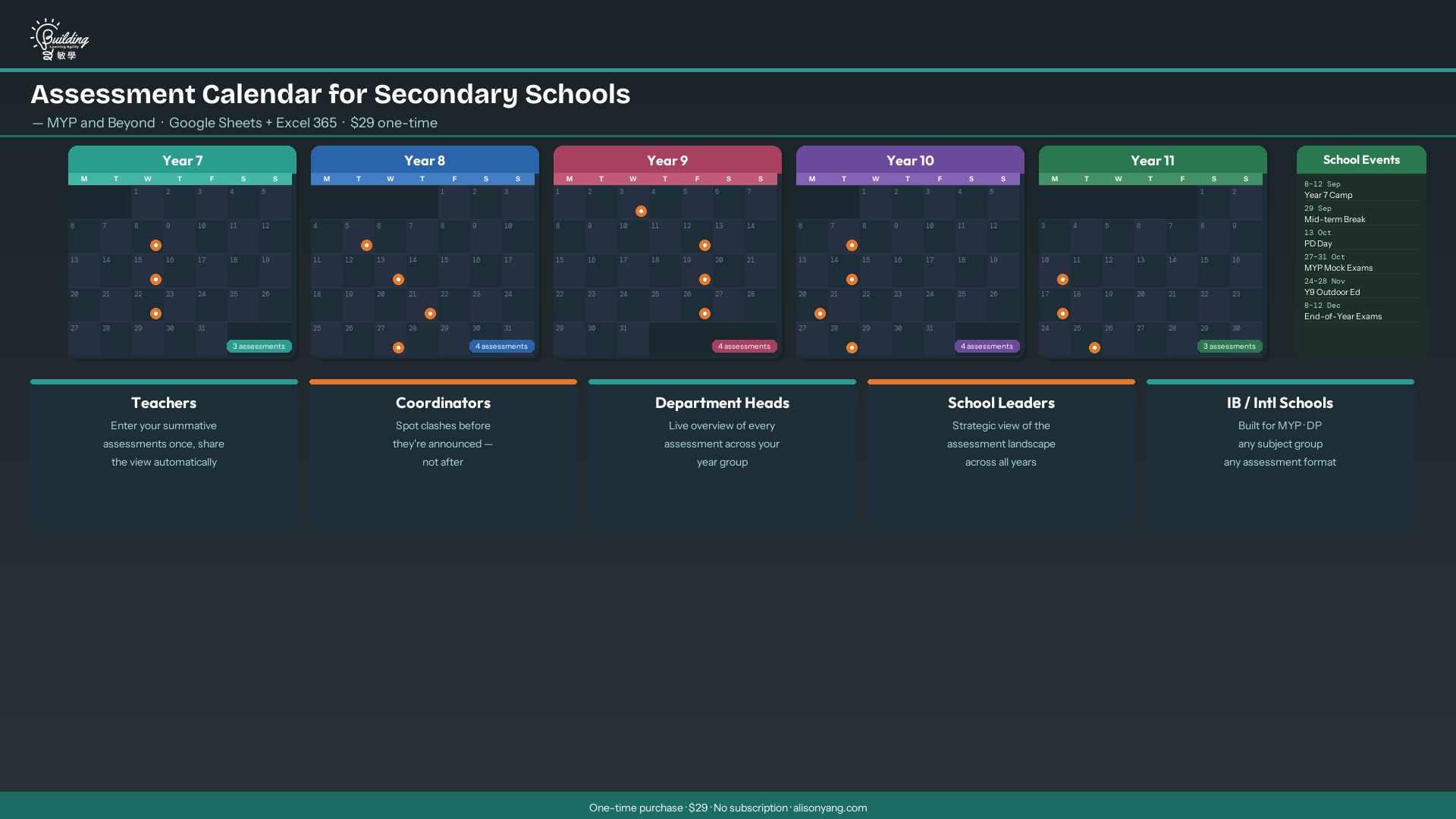
This secondary school summative assessment calendar gives coordinators and teachers a shared, live view of every summative task across every year group — so clashes are caught before they’re announced, and students always know what’s coming.
Three Problems Every Secondary School Has. One Spreadsheet That Solves Them.
Problem 1: No one has oversight and so summative assessments pile up
Teachers plan assessments independently. Nobody has a shared view. Then three subjects land a major summative task in the same week, students are overwhelmed, and by the time a coordinator notices, the deadlines have already been announced. The Assessment Calendar gives school leaders and coordinators a live view of every summative assessment across every year group — before the problem is locked in. Read more about why this matters in Assessment Calendars as Learning Tools, Not Admin Tools.
Problem 2: When school events shift, no one knows what to move
A trip gets scheduled. Exam week moves. A professional development day lands in the middle of the term. Without a clear picture of what assessments are already in place, rescheduling means guesswork. This planner shows every commitment in a single calendar view, so when something changes, it’s immediately obvious what needs to shift and where the space is.
Problem 3: Students can’t manage their time without a roadmap
Students are expected to manage workload across multiple subjects, but most schools never give them the full picture. A shared secondary school summative assessment calendar gives students a visual roadmap of what is coming and when, so they can plan ahead, prepare properly, and avoid last-minute panic. This is especially critical for IB Diploma Programme students managing Internal Assessment milestones across two years.
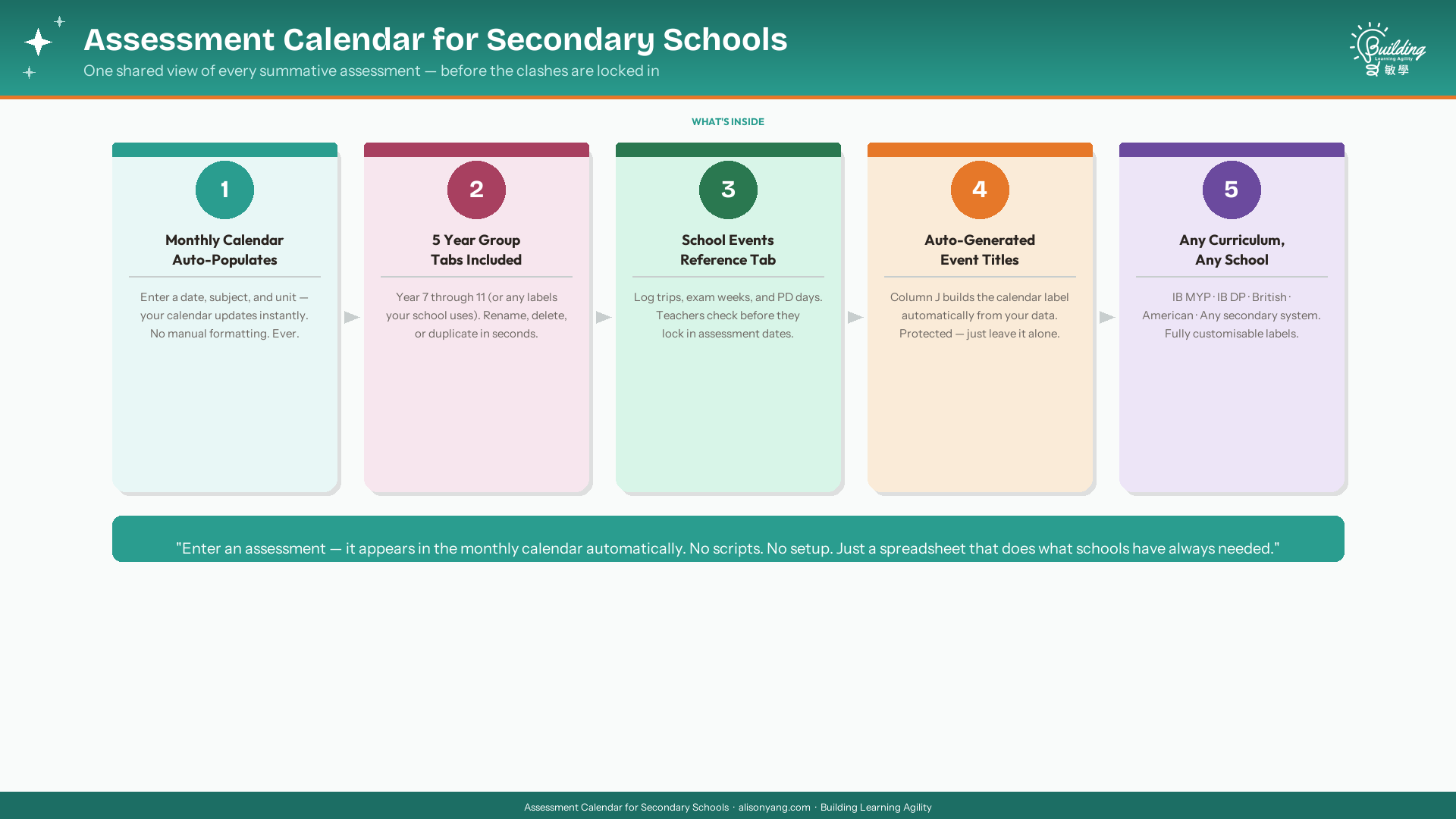
Works for IB MYP, IB DP, British curriculum, American Grade system, or any secondary school worldwide.
Compatible with Google Sheets (any free account) and Microsoft Excel 365.
What’s Included in This Secondary School Summative Assessment Calendar
- Spreadsheet Template (Google Sheets + Excel 365) — Five year group tabs, ready to use immediately. Delete the ones you don’t need. Rename the ones you keep. No setup beyond opening the file.
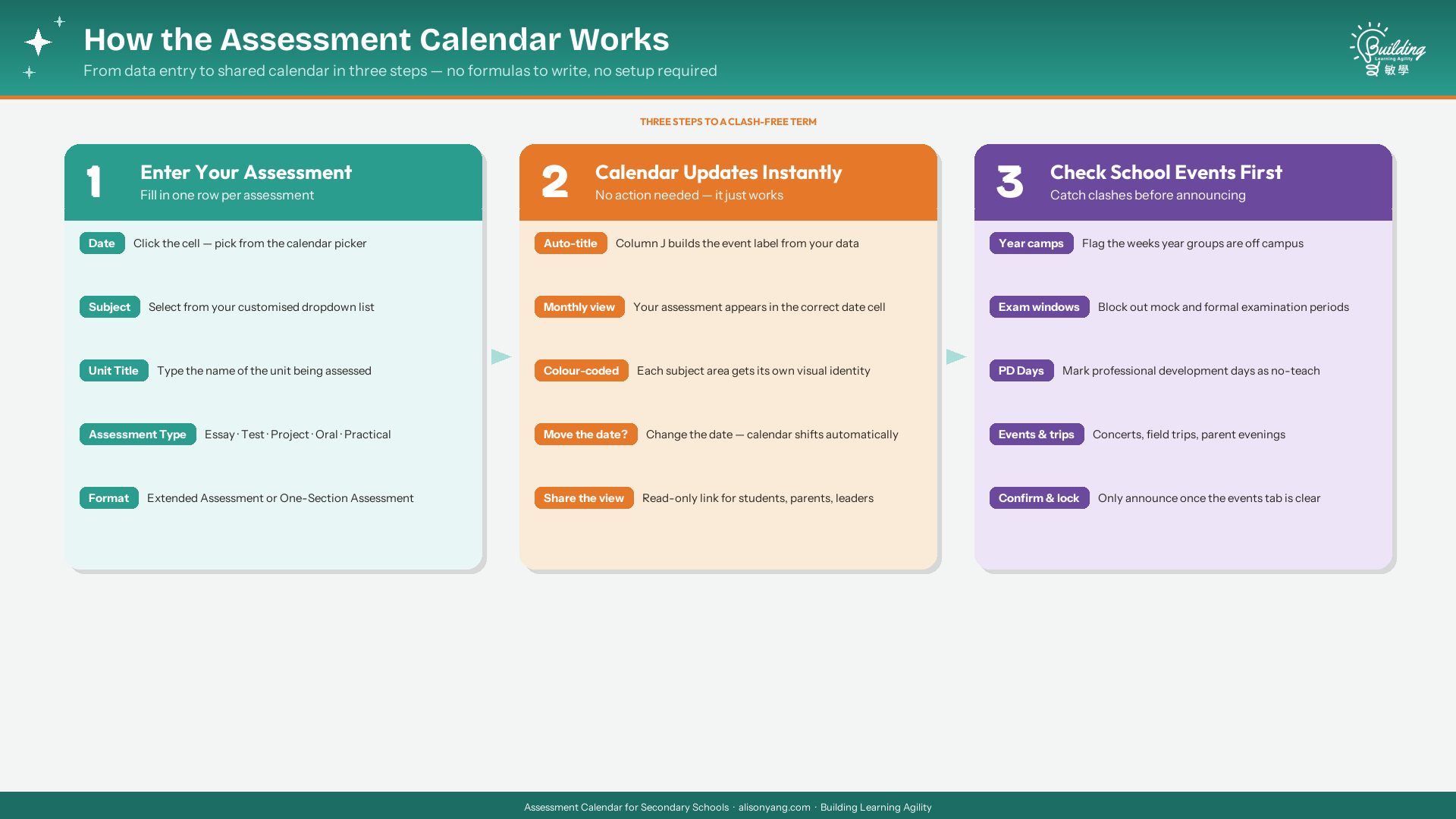
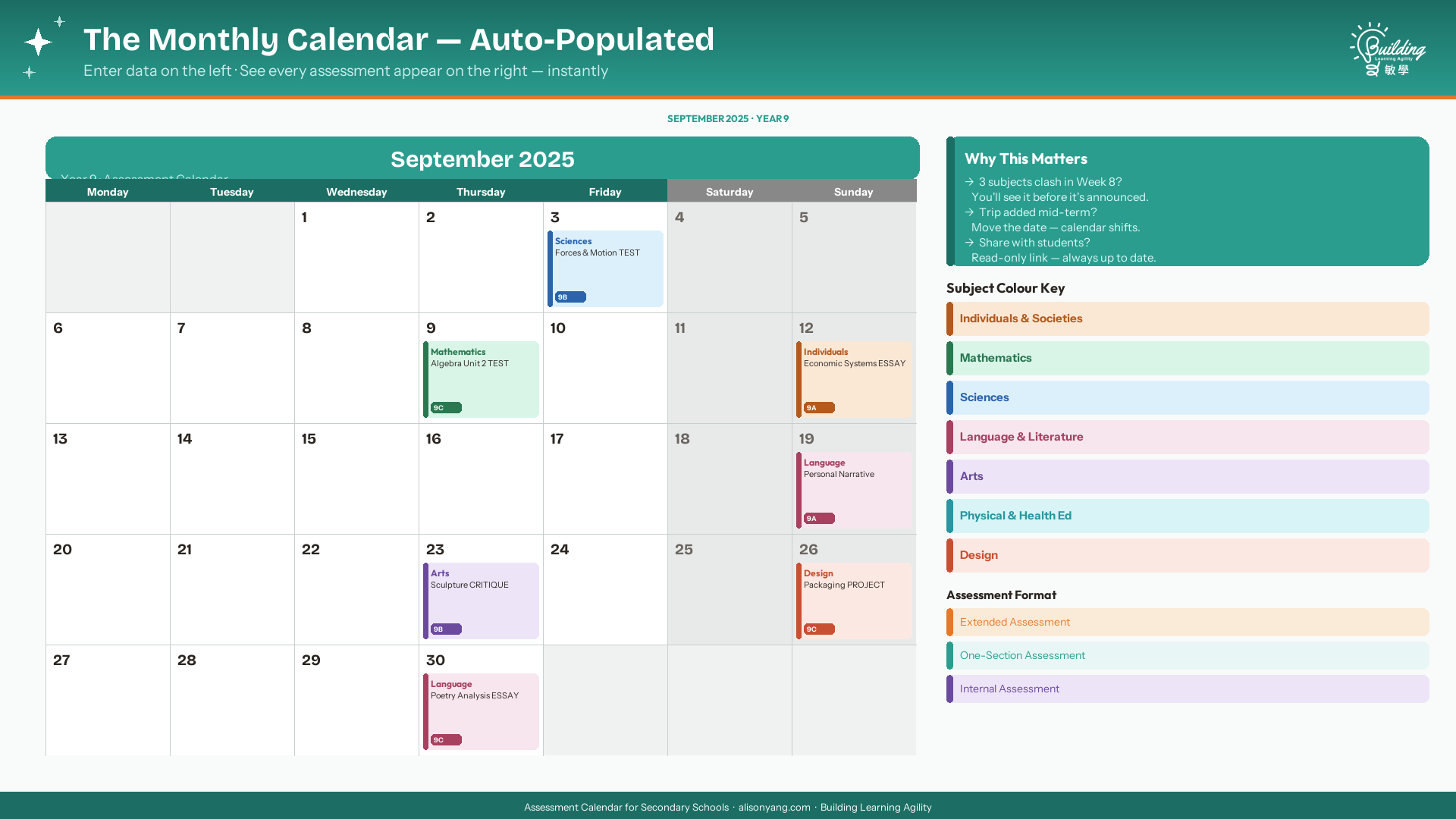
- Auto-Populating Monthly Calendar — Enter a summative assessment in the data table. It appears in the correct date cell of the monthly calendar automatically. No editing required on the calendar side.
- School Events Reference Tab — Log trips, exam weeks, professional development days, reporting deadlines, and blocked periods. Teachers check this before finalising assessment dates. Clashes are caught before they’re announced.
- 📋 Start Here Tab — An in-sheet setup guide covers every column, customisation option, and the two areas not to touch. No external manual needed to get started.
- User Manual (PDF) — Full reference guide with column instructions, IB DP Internal Assessment planning guidance, and coordinator tips.
What You Can Do With This Secondary School Summative Assessment Calendar
- Track summative assessments only — This planner is designed for summative tasks: those that count, that students need notice for, and that coordinators need to balance. Formative tasks are out of scope by design, keeping the calendar readable and meaningful.
- Give leaders real oversight — Share view access with coordinators and school leaders. Give teachers edit access to their own year group tab. Everyone sees the same picture in real time.
- Give students a clear assessment roadmap — Share the monthly calendar view with students as a read-only link or printed handout. Students see every summative assessment coming and when, so they can plan ahead, manage their workload, and stop being caught off guard the night before.
- Keep parents informed — Share the calendar with parents at the start of each term. Parents who can see the assessment schedule can support their children’s planning at home. Transparency reduces last-minute panic on both sides.
- Establish an advance notice policy — The calendar works best when your school sets a clear expectation: assessments must be entered and communicated a minimum number of weeks in advance. Two weeks is a common minimum for extended tasks; one week for single-session assessments. Teachers know what is expected; students know what is coming.
- See the full picture before publishing dates — Use the monthly calendar view in coordinator meetings to spot heavy weeks before deadlines are announced to students or parents.
- Plan IB DP Internal Assessments across two years — Rename two tabs Year 12 and Year 13. Enter each IA milestone (first draft, supervisor review, final submission) as a separate row. DP coordinators get a two-year overview in one place.
- Customise completely for your school — Rename year groups, edit subject dropdowns, adjust assessment type labels, and add your own block or period names. Nothing is locked.
- Reuse every academic year — At the start of each new year, clear or archive the previous year’s entries and enter the new schedule. The template adapts to any academic year without modification.
Assessment Format — Built for Communication, Not Just Tracking
Column K — Assessment Format — signals to students and teachers how much preparation time a summative assessment requires. Three formats are included as starting points:
- Extended Assessment — Projects, essays, research tasks, extended writing. Students plan and draft over time. Recommended minimum notice: 2 weeks.
- One-Section Assessment — Single sitting. Tests, oral responses, practicals, timed written tasks. Students prepare and complete in one session. Recommended minimum notice: 1 week.
- Internal Assessment (IA) — IB Diploma Programme only. Enter each IA milestone as a separate row with its own date. Gives students and supervisors a full milestone timeline. Recommended notice: 2 weeks per milestone; full timeline shared at the start of Year 12.
All labels are editable. Non-IB schools can remove Internal Assessment (IA) from the dropdown. Add, rename, or adjust formats to match your school’s language and policy.
Who This Is For
The secondary school summative assessment calendar is designed to work for any school running a structured secondary programme — from IB MYP to British to American curriculum. If your school has teachers, year groups, and summative tasks, this tool is built for you.
- IB MYP coordinators and teachers — Balance summative assessments across subject groups and year groups
- IB DP coordinators and teachers — Track Internal Assessment milestones across Year 12 and Year 13 in one place
- British curriculum schools — Plan by year group (Year 7–11, Year 12–13) using familiar labels
- American and international schools — Grade 6–12 labelling; works identically
- Any secondary school — If you have teachers, year groups, and summative assessments, this planner works for you
Assessment clashes don’t happen because teachers don’t care. They happen because no one has a shared view. This secondary school summative assessment calendar is the shared view.
Looking for a tool to automate assessment dates into your school calendar? See the Sheet to Calendar Sync Tool PRO — enter your assessment dates once in a spreadsheet and have them push directly to Google Calendar.
Frequently Asked Questions
Does this work outside IB schools?
Yes. Year group names, subject labels, block/period names, assessment types, and assessment formats are all customisable. It works for British, American, Australian, or any secondary school curriculum.
Does it work in Excel?
Yes. The template is compatible with Microsoft Excel 365 (Windows and Mac). It also works in Google Sheets with any free Google account.
Is this for summative assessments only?
Yes, by design. This secondary school summative assessment calendar tracks summative tasks — the assessments that require advance notice, affect student workload, and need coordinator oversight. Keeping formative tasks out of scope makes the calendar easier to read and more useful for planning.
Can multiple teachers enter data at the same time?
In Google Sheets, yes — simultaneous editing is supported. In Excel, the file can be shared via OneDrive or SharePoint for collaborative use.
Can I add more year group tabs?
Yes. Duplicate an existing year group tab and rename it. The formulas carry over automatically.
Can I use this for IB DP Internal Assessments?
Yes. Rename two tabs Year 12 and Year 13. Use the Internal Assessment (IA) format option to enter each milestone as a separate row. DP coordinators get a complete two-year overview in one file.
Can I change the assessment type and format labels?
Yes. All dropdown lists are editable. Add, remove, or rename values to match your school’s language.
How do I get started with the secondary school summative assessment calendar?
Download the file immediately after purchase. Open it in Google Sheets or Excel 365. Follow the Start Here tab — it walks through every column and the two areas not to edit. You can have your first assessments entered and visible on the monthly calendar within minutes.
Pricing
$29 — one-time purchase. No subscription. No recurring fees.
Includes all five year group tabs, school events tab, Start Here guide, and user manual PDF. Delete the tabs you don’t need. Duplicate tabs to add more. At the start of each new academic year, clear the previous entries and start fresh — no new purchase required.
Refund Policy
This is a digital product and all sales are final. By purchasing, you acknowledge that no refunds, exchanges, or cancellations are available once the files have been delivered.


Reviews
There are no reviews yet.